Kubernetes Management

Multi-Cluster
Kubernetes Management

Manage pods, view metrics, access terminals, and stream live logs across all your clusters — from one desktop app.
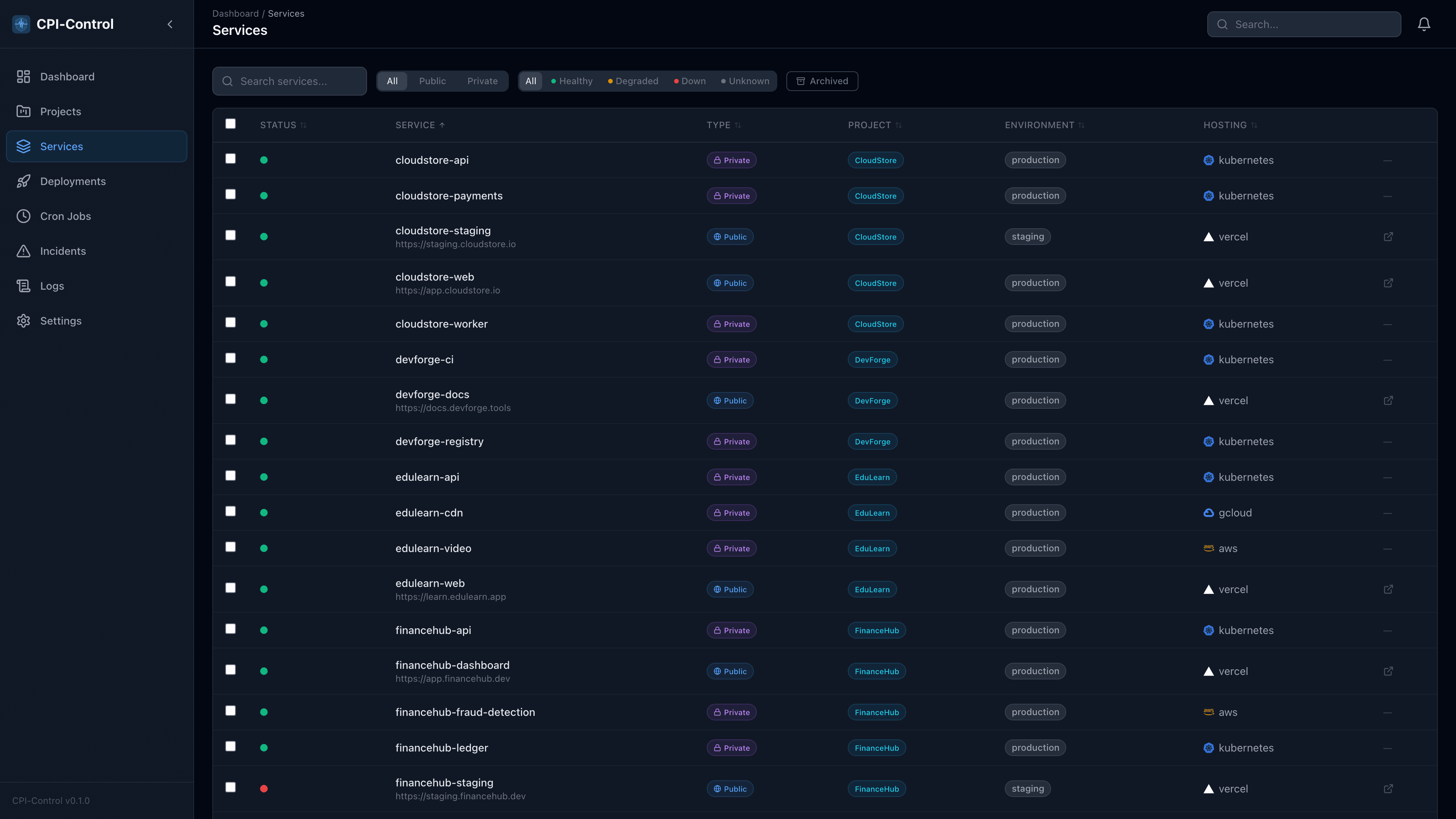

CPI-Control service list showing Kubernetes pods with health status, CPU and memory metrics, and provider indicators
Kubernetes multi-cluster management with pod metrics, live logs, and deployment tracking
Multi-Cluster

Multi-Cluster Support

Upload multiple kubeconfig files and manage all your clusters from a single interface. Each cluster gets its own adapter with independent connection management, and all services appear in one unified list.

  • Upload multiple kubeconfig files — EKS, GKE, AKS, k3s, self-hosted
  • Each cluster gets its own adapter with independent health checking
  • Unified service list across all clusters with provider badges
  • Cluster connection status always visible — know instantly if a context is unreachable
Connected Clusters
production-eu
connected
staging-us
connected
dev-local
reconnecting
3 clusters47 services discovered
Telemetry

Pod Metrics & Management

See CPU usage, memory consumption, restart counts, and pod age at a glance. Restart deployments, manage CronJobs, and open a terminal to any pod with a single click — no kubectl required.

  • Real-time CPU and memory metrics per pod
  • Restart counts, pod age, and container status
  • One-click deployment restarts and CronJob triggers
  • Built-in terminal — exec into any pod, any container
Pod Metrics
api-server-7f8d4
CPU 120mMEM 256Mi0 restarts
worker-batch-3a1b
CPU 340mMEM 512Mi2 restarts
redis-cache-0
CPU 45mMEM 128Mi0 restarts
Logs

Live Log Aggregation

CPI-Control uses stern under the hood to collect logs from every pod across every namespace. Logs are kept in an in-memory ring buffer and streamed live to your UI via Server-Sent Events — no Loki, no Elasticsearch, no cloud log ingestion fees.

  • stern-based background collection across namespaces
  • Multi-service view with color-coded service badges
  • Filter by log level — info, warn, error, debug
  • Detachable floating log window for side-by-side monitoring
Live Logs — production-eu
14:32:01apiINFGET /health 200 12ms
14:32:01workerINFJob batch-export completed
14:32:02apiWRNRate limit threshold 80%
14:32:03redisINFMemory usage: 45.2MB/128MB
14:32:03apiERRConnection timeout to payments-svc
14:32:04workerINFProcessing queue: 12 pending
Streaming from 3 namespaces
Discovery

Auto-Discovery

Point CPI-Control at your cluster and it does the rest. Every namespace is scanned for Deployments, Services, and Ingresses. Public-facing services are identified automatically by checking for matching Ingress rules. No YAML, no annotations, no manual setup.

  • Scans namespaces for Deployments, Services, and Ingresses
  • Determines public vs. private services automatically
  • Ghost service detection — removes services that no longer exist
  • Periodic re-sync to keep your service list always up to date
Auto-Discovered Services
api-gateway
productionPublic
user-service
productionPrivate
payment-processor
productionPublic
redis-cache
productionPrivate
background-worker
productionPrivate
Comparison

How CPI-Control compares

CPI-Control combines Kubernetes management with monitoring, deployments, and logs. Other tools only do one piece.

CPI-ControlLens Prok9s
Multi-cluster supportUnlimited1 per window1 per session
Pod metricsBuilt-inBuilt-inBuilt-in
Terminal accessOne-clickBuilt-inBuilt-in
Live log aggregationMulti-service, sternPer-podPer-pod
Health monitoringBuilt-in HTTP checks------
Deployment trackingMulti-provider------
Status pagesBuilt-in------
PriceFree$299/yrFree
Non-K8s servicesVercel, GitHub, DO------

Manage all your clusters
from one app.

Download CPI-Control and connect your first cluster in under two minutes. Free for up to 50 services — no account required.

macOS 12+ (.dmg)Windows 10+ (.msi)~45 MBNo account needed